Teamspot for retail managers and retail directors

Workforce scheduling for retail managers who need control across every store

Schedule enough people around demand, availability, and company rules. Teamspot keeps schedules, leave, and worked hours visible centrally while store managers review the local plan.

Teamspot retail workforce schedule with shifts, employees, and coverage information

The daily retail operation

Four decisions that connect store coverage with labor hours

Teamspot gives head office and store managers the same operating context. Staffing demand, availability, schedules, and hours stay connected without removing local review.

Coverage around demand

Schedule enough people for the moments that matter in each store

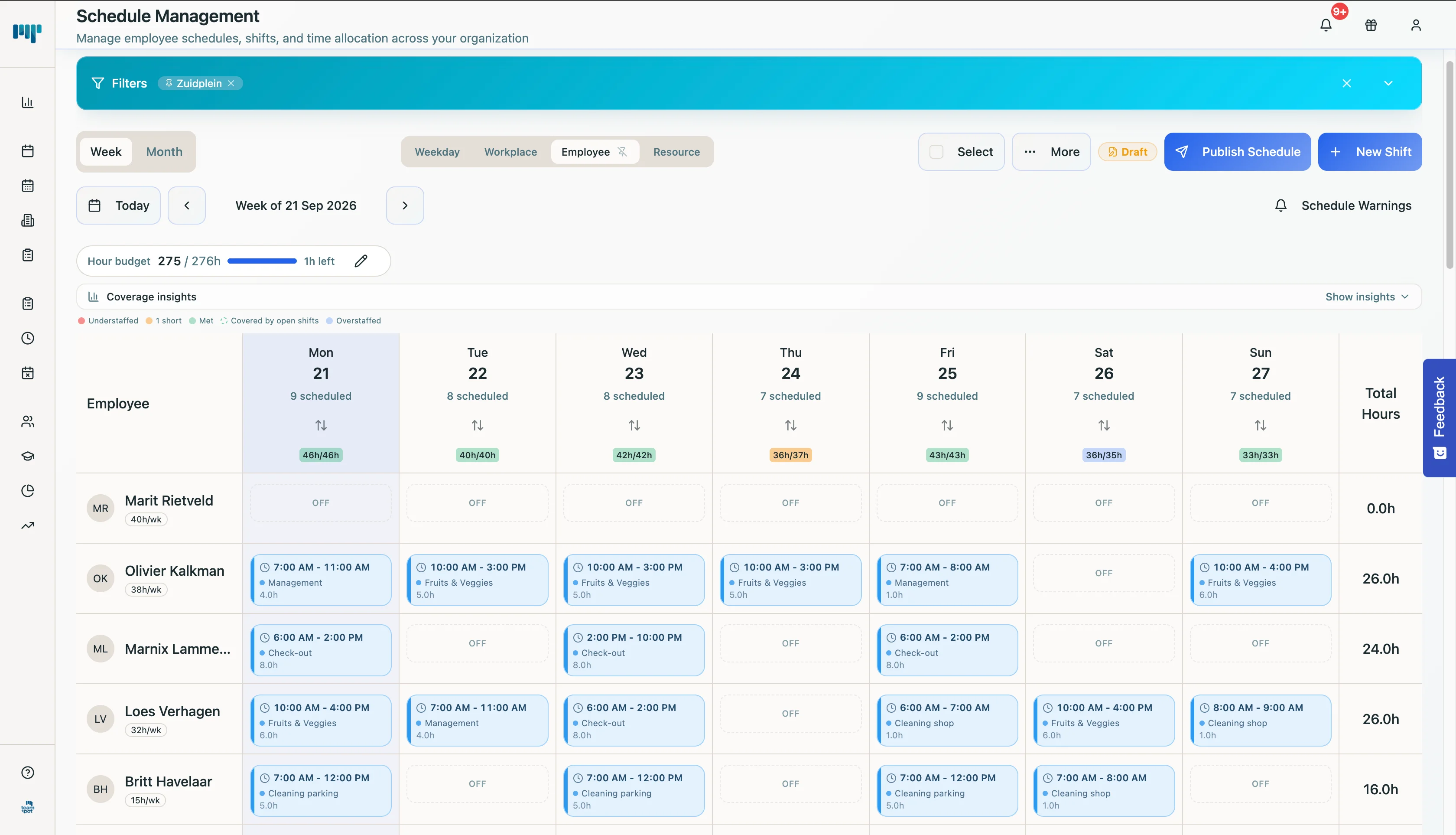
Not every hour needs the same coverage. Define staffing demand and build the schedule around what each period requires. Open shifts remain visible before the week starts.

  • Make required coverage visible by period.
  • See where shifts or hours remain open.
  • Review the proposal before applying the schedule.
Explore Teamspot for retail
Teamspot weekly retail schedule with coverage information
A populated weekly schedule shows store coverage and remaining gaps before the week starts.Enlarge — opens in a new tab

Part-time availability and leave

Give store managers current availability before they plan

Part-time teams, changing availability, and leave quickly create separate lists. Employees submit availability and leave in the same environment where they view the current schedule.

  • Keep availability connected to scheduling.
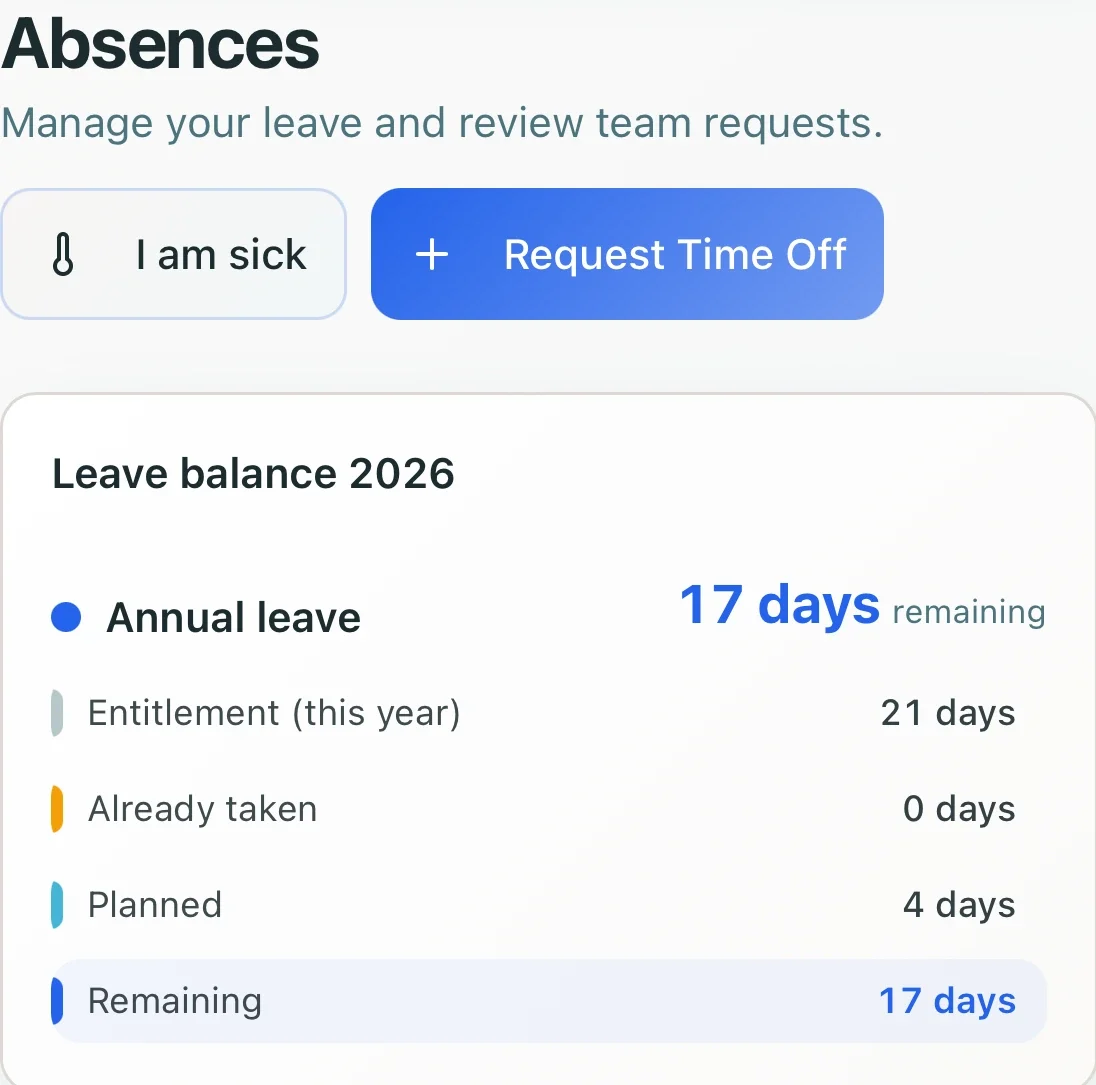
  • Let employees view leave balance and requests.
  • Reduce separate messages about who can work.
Explore Teamspot for retail
Employee leave balance and request options in Teamspot
Leave and availability remain connected to the store schedule.Enlarge — opens in a new tab

Central framework, local control

Work across stores without replacing local judgment

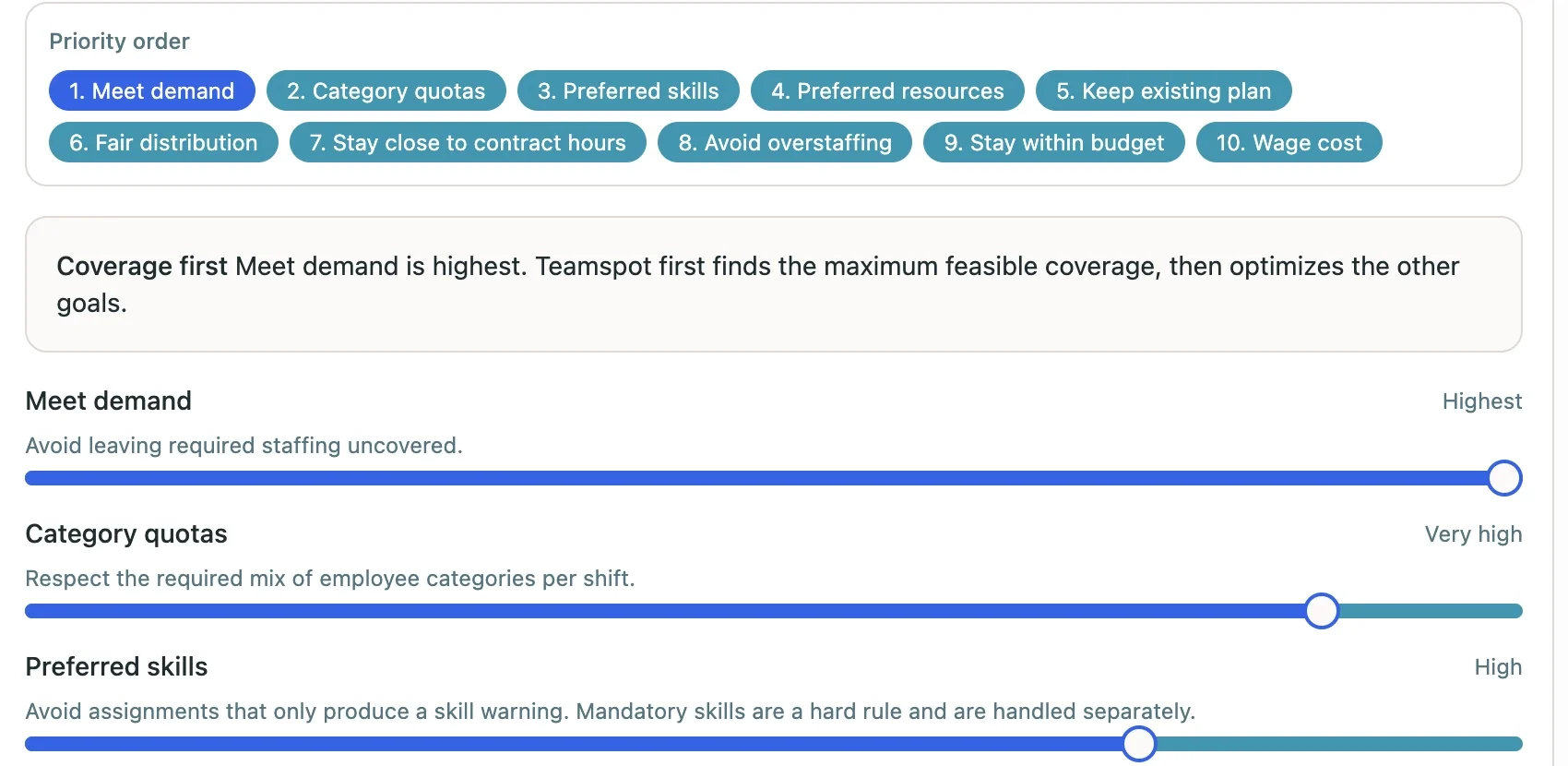
Retail leadership can define shared priorities and scheduling rules. Store managers review proposed assignments and open shifts before applying the schedule. That creates one operating method without blind publishing from head office.

  • Use shared company priorities and hard rules.
  • Keep employees, shifts, and hours visible across locations.
  • Let the responsible manager review the proposal.
Explore all features
Teamspot settings for staffing demand, skills, and scheduling priorities
Company priorities guide the proposal while managers keep the review step.Enlarge — opens in a new tab

Hours and labor control

Review worked hours before payroll

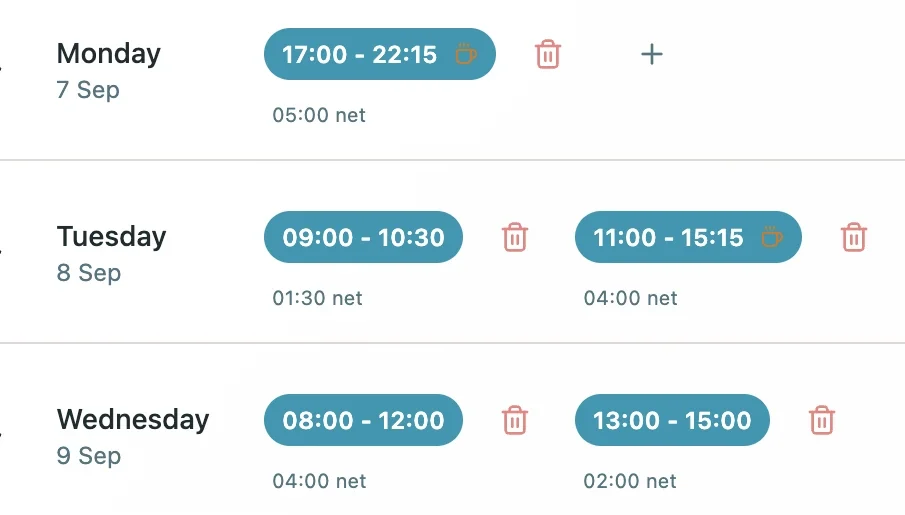
Work intervals, net hours, and overtime stay in one record. Store managers review the registration and retail operations uses the same approved data for visibility and export.

  • Review work intervals and net hours by day.
  • See overtime before records move forward.
  • Export approved data to Excel, PDF, or CSV.
Explore pricing
Teamspot retail time record with work intervals and net hours
Worked hours remain ready for manager review and payroll export.Enlarge — opens in a new tab

Central visibility, local responsibility

From store demand to reviewed hours

Your POS and sales planning remain the commercial source. Teamspot turns the staffing demand you define into a reviewable scheduling process with availability, local manager control, and worked hours.

  1. 01

    Define store demand

    Set the coverage required by location and period.

  2. 02

    Collect availability

    Let employees manage schedules, availability, and leave on mobile.

  3. 03

    Let managers review

    Check proposed assignments and open shifts before publishing.

  4. 04

    Review and export hours

    Use approved records in the existing payroll process.

The main question when switching

Will a central system become too rigid for each store?

It does not have to. Teamspot centralizes company priorities, rules, availability, and hours while store managers review the schedule before applying it. Head office gets one operating method and better visibility without pretending every store or period is the same.

  • Company rules and priorities can be defined centrally.
  • Staffing demand can differ by store and period.
  • Store managers review proposed assignments and open gaps.
  • Hours remain visible centrally and exportable.

Questions from retail leaders

What to know before centralizing store scheduling

Clear answers about POS boundaries, local control, part-time availability, locations, leave, and payroll records.

Does Teamspot replace our POS or sales forecasting system?

No. Teamspot uses the staffing demand your organization defines. Sales forecasts, inventory, and transaction data stay in their existing systems; Teamspot manages employee availability, schedules, and hours.

Do store managers keep control of their schedules?

Yes. Teamspot can create a proposal within company rules and priorities. The manager reviews assignments and open shifts before applying and sharing the schedule.

How do we schedule part-time employees with changing availability?

Employees submit availability and view the current schedule on mobile. Planners can use that information while building and adjusting the roster.

Can we manage several stores centrally?

Teamspot supports multi-location workforce management. Schedules, employees, and hours remain visible centrally while store managers retain responsibility for reviewing their plan.

How do leave and schedule changes work together?

Employees can view their leave balance and start a time-off request in the same environment. Availability, leave, and the schedule are less likely to drift across separate spreadsheets or message threads.

Which records can we export to payroll?

Managers can review work intervals, net hours, and overtime. Approved records can then be exported to Excel, PDF, or CSV for the existing payroll process.
Give every store the same scheduling foundation without losing local insight.

Tell us how store coverage, availability, leave, and hours work today. A senior workforce management colleague will discuss where Teamspot fits and where it does not.

Request a demo

We will get in touch to align the demo with your retail scheduling process.